
Coloring and Drawing For Girls
Toy Tap LLPEducational
4.795.00 Reviews
- Version
- 3.3.6
- Installs
- 10.00M
- Age Rating
- Everyone
Screenshots
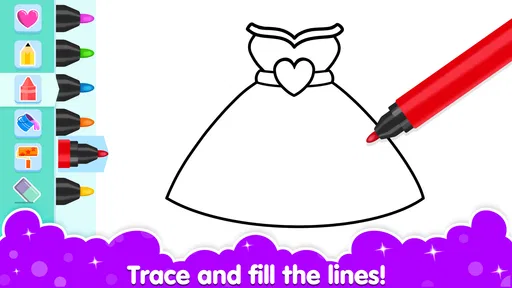
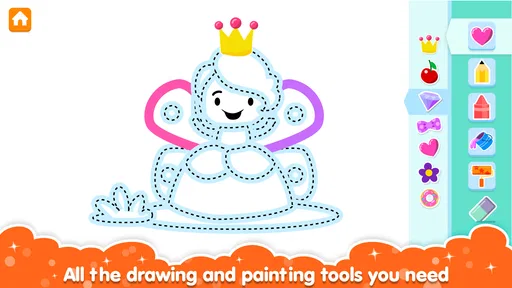
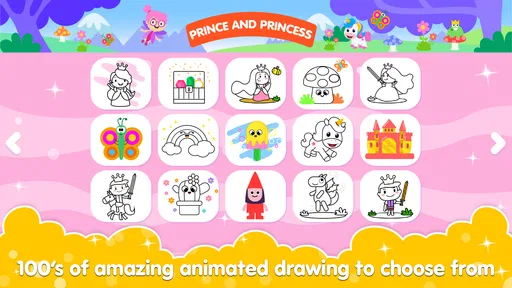
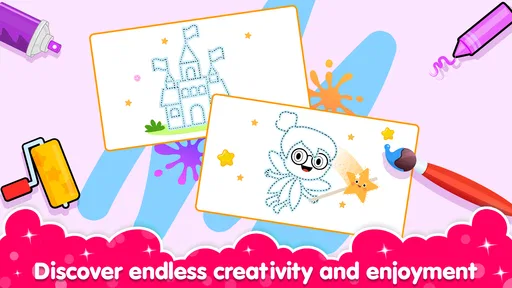
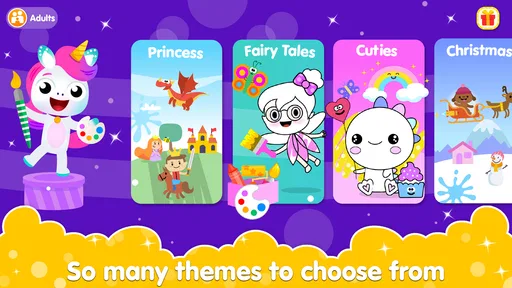



Our Review of Coloring and Drawing For Girls
 Analysis by Appyee
I spent time with Coloring and Drawing For Girls as a light, creative game rather than as a serious art program. That distinction matters. Its appeal is immediate: choose a picture, add color, decorate it, and enjoy the result without needing drawing experience. I found it easiest to pick up for short sessions, especially when I wanted something calm and simple instead of a game built around timers, combat, or complicated rules.
The app is an educational game from Toy Tap LLP, available free of charge for everyone. It has reached over ten million installs and holds a 4.6 average from around eleven thousand ratings, which suggests that its basic idea connects with a large audience. My own impression is that the strongest part is the low barrier to entry. A child can begin experimenting quickly, while an adult can use it as a quiet activity to share with a younger player.
What the coloring experience feels like in everyday use
The first useful thing to understand is that this is not trying to replace a full drawing studio. I would compare it with a digital coloring book that adds playful decoration, not with a blank canvas designed for detailed illustration. That makes the experience less intimidating, but it also means users looking for layers, brushes, advanced editing, or precise artistic control may find it limited.
I found the most natural routine was to treat each session as a small project. Instead of opening the game with the expectation of creating something impressive, I would choose one image, try a few combinations, and stop when the picture felt finished. That approach suits the app well because the satisfaction comes from completing a cheerful scene rather than from building a large portfolio.
The “for girls” positioning is visible in the way the game presents itself, but I would not treat that label as a strict audience boundary. The useful question is whether the player enjoys cute, decorative coloring. A child who prefers vehicles, realistic landscapes, or open-ended sketching may not connect with the presentation, regardless of age or gender. Parents should judge the visual style and activity itself rather than relying only on the title.
For a realistic everyday example, I can imagine using it during a quiet transition: a child has finished homework but is not ready for bed, or a parent needs a short screen activity while waiting at an appointment. The game works better in that setting than during a long entertainment session. Its simple format makes it easy to put down, although a child who enjoys collecting and revisiting creations may naturally want to continue longer.
Why the simple format works for beginners
The main strength is the absence of a steep learning curve. A beginner does not need to understand drawing terminology or practice hand control before seeing a result. Coloring gives immediate feedback, and decoration turns a basic fill-in activity into something that feels more personal. That can be encouraging for children who become frustrated by blank pages or by art apps that expose too many tools at once.
I also think the format has a modest educational benefit, even though it should not be mistaken for a structured lesson. Choosing colors, noticing boundaries, and deciding when a picture feels complete can support attention and creative decision-making. The benefit is informal and activity-based. Families searching for guided lessons in color theory, handwriting, or drawing technique should use a dedicated educational tool instead.
One practical tip is to encourage the player to make a deliberate choice before filling every area. Asking, “What mood do you want this picture to have?” turns a quick coloring task into a small design exercise. Another is to save discussion for after the picture is complete: talking about the favorite part or the reason behind a color choice can make the session more meaningful than simply tapping through images.
Where the experience may feel repetitive
The same simplicity that makes the game approachable can also become its main limitation. If a player wants a constant stream of new mechanics, challenges, or increasingly difficult stages, this is unlikely to provide enough variety. Coloring games depend heavily on the appeal of their pictures and decoration choices, so enthusiasm may fade once the novelty of the format wears off.
I would also avoid presenting it as a substitute for paper and crayons in every situation. Physical coloring offers tactile feedback, no battery requirement, and a different kind of concentration. On the other hand, the app is cleaner, easier to carry, and less demanding to set up. For travel or a brief waiting period, digital coloring is more convenient; for a long creative afternoon, paper may feel more satisfying.
Another trade-off is precision. Touch controls can make small areas awkward, particularly for younger players who are still developing fine motor control. If a child becomes upset by coloring outside a boundary or by struggling to tap a tiny section, the activity has stopped being relaxing. In that case, I would switch to larger paper designs or a drawing app with controls better suited to freehand work.
Spending, access, and the question of fairness
The game is free to download and use, but it includes in-app purchases ranging from $1.99 to $29.99 per item. That is the most important spending context for parents and anyone sharing a device. The free entry point makes it easy to try before deciding whether the available experience is enough, while the purchase range means a child should not be left to make payment decisions without supervision.
I would set a clear household rule before handing over the device: coloring is available for free exploration, and any paid choice requires an adult decision. That rule is more useful than assuming a child will understand the difference between tapping a decorative option and approving a transaction. If the device is shared, checking the relevant purchase protections is a sensible part of setup, even though the game itself is aimed at everyone.
From a fairness perspective, the verified purchase information shows the possible price range, but it does not establish how much content is available without paying, how purchases are grouped, or whether a particular item affects progress. I would not claim that the game is pay-to-win, because a coloring activity does not present the same competitive structure as a racing or battle game. I would also avoid claiming that every picture is freely available. The fair conclusion is narrower: the app can be tried without an upfront price, but spending boundaries deserve attention.
This distinction matters because there is no meaningful competitive advantage to evaluate in the usual sense. Players are not competing for a leaderboard position or battling one another in the activity I reviewed. A purchase may change access to creative material, but that is different from buying power over another player. For families, the practical fairness issue is equal access to the creative experience, not multiplayer balance.
Progress without pressure
Coloring games can create a gentle sense of progress simply through completed pictures, but I would not approach this one expecting the motivational structure of a conventional educational course. There is no reason to assume that a completed image represents a measurable skill level. A child may become more confident with color choices, yet the app should be treated as practice through play rather than as a system that proves artistic development.
That makes it a good fit for children who dislike failure screens and performance pressure. A relaxed activity can be valuable when the goal is to unwind. It is less suitable for a child who needs clear targets, rewards, or gradually harder tasks to stay engaged. In that situation, a puzzle game with explicit progression or a guided art curriculum may provide stronger motivation.
I found that an adult can add the missing structure without turning the experience into homework. For example, one session can focus on warm and cool colors, another can ask the child to create a nighttime version of a scene, and another can invite them to explain which details they changed. These prompts make the game more educational while keeping the creative decision in the player’s hands.
A useful trade-off appears here: the less pressure the app places on the player, the more responsibility the user has for creating a purpose. That is positive for open-ended play, but it can feel thin for someone expecting lessons. I would recommend it as a supplement to drawing, not as the only creative activity in a child’s routine.
How it compares with familiar alternatives
Compared with a physical coloring book, this game wins on portability and instant cleanup. There is no need for a pencil case, and a finished design can be created during a short break. Paper wins on texture, visibility in bright outdoor settings, and the freedom to use any physical color available. The better choice depends on whether convenience or hands-on creativity matters more at that moment.
Compared with a general drawing app, this game is easier for a beginner because the player starts with an image instead of an intimidating empty workspace. A general drawing app is better for children who want to sketch their own characters, practice lines, or control brush size and composition. I would choose this game for guided decoration and choose the broader tool when the child says, “I want to draw something from my imagination.”
Compared with more structured learning games, it offers a softer experience with less obvious academic direction. That can be an advantage after a demanding school day, but it also means parents should not expect a lesson plan. If the goal is to teach specific concepts, another educational app may be more appropriate. If the goal is to make creative screen time feel approachable, this one is easier to recommend.
Device expectations and practical setup
The current version is 3.3.5, and the game supports devices running Android 7.0 or later. That gives it a broad compatibility range for many Android users, although the experience can still vary with screen size, touch responsiveness, and the age of the device. On a smaller screen, detailed areas may be less comfortable to color, while a tablet can make the activity easier for a child working with larger visual elements.
I would test the game briefly before giving it to a young child, not because the basic concept is difficult, but because setup habits matter. Confirm that the child understands which taps are part of coloring and which may lead toward a purchase. It is also worth deciding whether the device is being used for independent play or for a shared activity with an adult. The same app can feel very different depending on that arrangement.
The everyone age rating makes it broadly accessible, but an age label does not tell a parent whether the visual style will suit a particular child. Some children enjoy decorative themes; others may find them too young or simply prefer different subjects. I would let the child’s interests guide the decision rather than treating the rating as a recommendation for every family.
What I would want to know before spending
The free price is enough to justify trying the core experience, but I would not make a purchase immediately. I would first watch how the intended player uses the available coloring options: do they enjoy finishing pictures, or do they lose interest after a few minutes? If the free experience already supports short, happy sessions, there is no reason to spend simply because a paid option appears.
If a child repeatedly asks for additional decorative material, I would have a conversation about what the purchase adds and whether it will actually extend play. A one-time creative choice can be worthwhile for a family that uses the app often, but the upper end of the listed purchase range calls for more careful consideration. The key is to buy for a demonstrated interest, not for the promise of keeping a child occupied.
I would also avoid describing purchases as necessary for progress. This is not a competitive game where a player needs stronger equipment to keep up with others. The relevant question is whether extra content improves personal enjoyment. That makes the spending decision simpler, but it does not remove the need for supervision.
Who should try it, and who should skip it
I recommend it to young beginners who like colorful, cute artwork and want a low-pressure way to create something quickly. It is also a practical choice for parents looking for a short, quiet activity that does not require teaching a complicated interface. Older children may enjoy it if they like decoration, but those who want detailed illustration tools will probably outgrow it.
I would skip it if your main goal is formal art instruction, freehand sketching, advanced editing, or a deep progression system. I would also choose another option if your child becomes frustrated by touch precision or prefers realistic subjects. The game’s value depends on matching its gentle coloring format to the player, not on expecting it to serve every creative purpose.
For families, the best use is probably alongside offline materials. A child can color digitally during travel, then use paper and crayons for a longer project at home. That combination avoids asking one app to provide every kind of creative experience and gives the child a chance to compare quick digital decoration with slower, tactile work.
My trust verdict
After using it, I see Coloring and Drawing For Girls as a pleasant, accessible coloring game with a clear audience and a sensible free entry point. Toy Tap LLP has made something that is easy to understand within moments, and the large install base and strong average rating show that the format has broad appeal. My recommendation is positive, but it is deliberately limited: try it as a casual creative activity, not as a complete art course.
The spending model is the part I would handle most carefully. In-app items cost between $1.99 and $29.99, so adults should establish purchase rules before a child explores the app. The available facts support saying that the game is free to start and that paid items exist; they do not justify stronger claims about locked content, progress advantages, or purchase pressure. That honest boundary is important when deciding whether the app belongs on a child’s device.
My final advice is to begin with a short supervised session, see whether the player enjoys completing pictures, and compare the experience with paper coloring or a broader drawing tool. If the child likes the cute decorative style and wants quick creative wins, this game is worth keeping. If they need deeper control, stronger lessons, or more varied challenges, moving to another category of art app will be the better choice.
My verdict: a friendly free coloring game for relaxed, beginner-focused creativity, best enjoyed with sensible spending limits and realistic expectations about its depth.
Privacy and Permissions
See what permissions an app requests and how it handles your data.
- Photos/Media/Files
- read the contents of your USB storage, modify or delete the contents of your USB storage
- Storage
- read the contents of your USB storage, modify or delete the contents of your USB storage
- Other
- view network connections, full network access, prevent device from sleeping
Verdict
Strengths of Coloring and Drawing For Girls
- Simple tools make it easy for beginners to start drawing.
- Bright color palettes encourage creative experimentation.
- Works well as a relaxing activity during short breaks.
- Suitable for children who enjoy fashion and fantasy themes.
- Finished pictures can be saved for later viewing.
Limitations of Coloring and Drawing For Girls
- Some artwork and tools may require in-app purchases.
- The app can feel repetitive after completing many pictures.
- Ads may interrupt the coloring experience on free versions.
- Limited precision may frustrate users seeking advanced drawing tools.
- Child-focused content may not appeal to older artists.
Other Releases by Toy Tap LLP
View All
Coloring and Drawing For Kids
Educational4.7

Toddler Car Games For Kids 2-5
Educational4.7

Kids Monster Truck Games 2+
Educational4.6

Mini Dress Up & Beauty Games
Casual4.6
Similar Picks in This Category
View All
Little Panda Policeman
BabyBus4.0

Monster Trucks Game for Kids 2
Raz Games4.1

Little Panda's Chinese Recipes
BabyBus4.4

Little Panda's Restaurant
BabyBus4.4

Little Panda's Ice Cream Games
BabyBus4.3

Baby Panda Care
BabyBus3.8
Frequently Asked Questions
What is Coloring and Drawing For Girls?
Coloring and Drawing For Girls is a creative art app designed primarily for children who enjoy coloring pictures and making their own drawings. It usually combines ready-made illustrations with simple drawing tools, allowing users to choose colors, fill areas, add details, and experiment freely. The interface is generally bright and easy to understand, making it suitable for beginners who may not have previous experience with digital art apps.
Is Coloring and Drawing For Girls suitable for children of all ages?
The app is mainly aimed at younger children, but the appropriate age can vary depending on the child’s reading ability, patience, and familiarity with touchscreen controls. Younger users may need help navigating menus or understanding advertisements, while older children can often use the coloring and drawing features independently. Parents should check the store age rating and review the available content before allowing unsupervised use.
Does Coloring and Drawing For Girls require an internet connection?
Many of the basic coloring and drawing functions can often be used without a constant internet connection once the app is installed. However, internet access may be needed for downloading additional picture packs, displaying advertisements, restoring purchases, or accessing certain online features. If the app is intended for use by a child, it is worth testing it in airplane mode first and checking whether any important tools become unavailable offline.
Is Coloring and Drawing For Girls free to download and use?
Coloring and Drawing For Girls may be available as a free download, but free versions can include advertising, locked picture collections, optional purchases, or other limitations. The core coloring experience may be accessible without payment, while premium content could require a subscription or one-time purchase. Before downloading, parents should read the store listing carefully and check the device’s purchase and parental-control settings.
Are there parental controls or privacy concerns to consider?
Parents should inspect the app’s permissions, advertising behavior, and privacy policy before giving it to a child. A drawing app may request access to device storage if it allows artwork to be saved or shared, while some versions may also use analytics or advertising services. It is advisable to disable in-app purchases, supervise external links, and confirm whether children’s drawings remain stored locally or are uploaded elsewhere.
Play our best games!


